What does the distinctive quality (or perhaps it could be called “atmosphere”) of a particular space consist of acoustically?
Every room has certain acoustic properties that result from its geometry, size, furnishings, and the reflective characteristics of the materials inside it.
When sound is emitted into such a space, the room “responds”: certain frequencies are absorbed, while parts of the spectrum are reflected and eventually reach the listener. These reflections arrive with a time delay and may be reflected or scattered several times within the room before reaching the listener with an even greater delay and an altered frequency distribution. What I am describing here is essentially reverb and echo. The individual composition of this reverberation largely determines the acoustic character of a room or architectural situation.
The interesting part is that these properties can be measured. A specific signal is played into the room and the room’s “response” (i.e. its impulse response (IR)) is recorded. This recording can then be applied to a digital audio signal, such as music, in order to simulate how that signal would sound if it had been recorded in the respective room. This process is called convolution reverb, because the input signal is convolved with the impulse response of the room.
But what if, instead of recording an impulse response in a physical space, we could simulate the measurement itself by calculating the impulse response of a simulated or virtual 3D space?
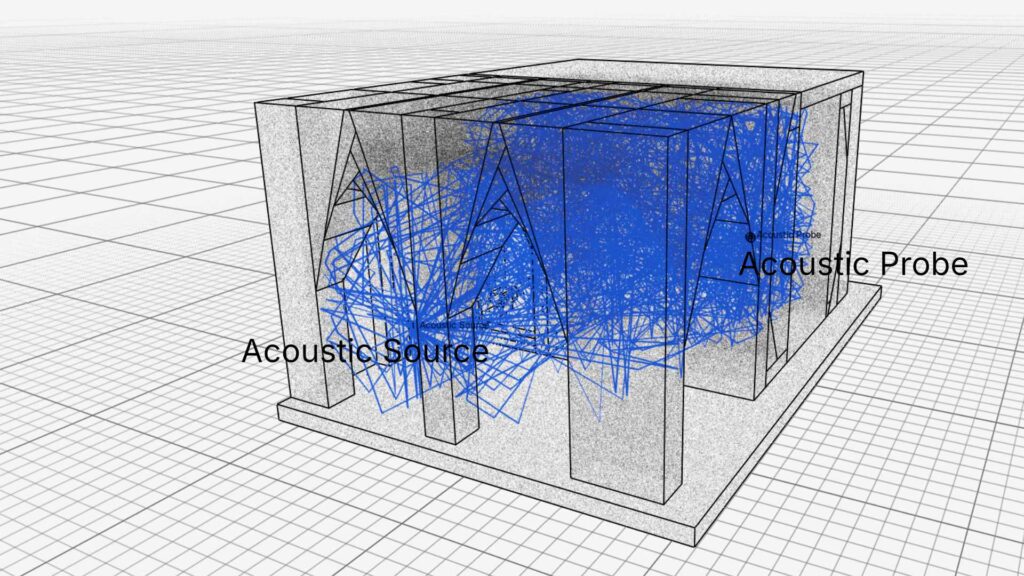
I explored this question and, with the help of Codex, built a Blender plug-in that allows an emitter (= the sound source) and a probe (= the virtual listener or microphone) to be positioned within a 3D scene.
Because the plug-in performs a physical simulation, certain parameters need to be defined consistently. Blender units, for example, are interpreted at a 1:1 scale as metres. In addition, a specific reflection characteristic can be assigned to every mesh, or even to individual faces, through Blender’s Material Editor.
Based on this setup, rays are emitted through the scene using a Monte Carlo simulation, and their respective reflections are calculated. The quality of the calculation can be adjusted in detail through the number of rays, the maximum number of reflections per ray, and the duration of the impulse response to be recorded.
Once the simulation has been completed, the impulse response can be exported as a PCM WAV file and used in any common audio software capable of processing impulse responses for convolution reverb.
It is also possible to visualize the paths of the calculated rays within the 3D geometry. Since useful impulse responses require at least around 2,000 rays (and there is essentially no upper limit to the number that can be calculated) the visualization can be restricted to a manageable subset so that the 3D scene itself does not become overloaded.
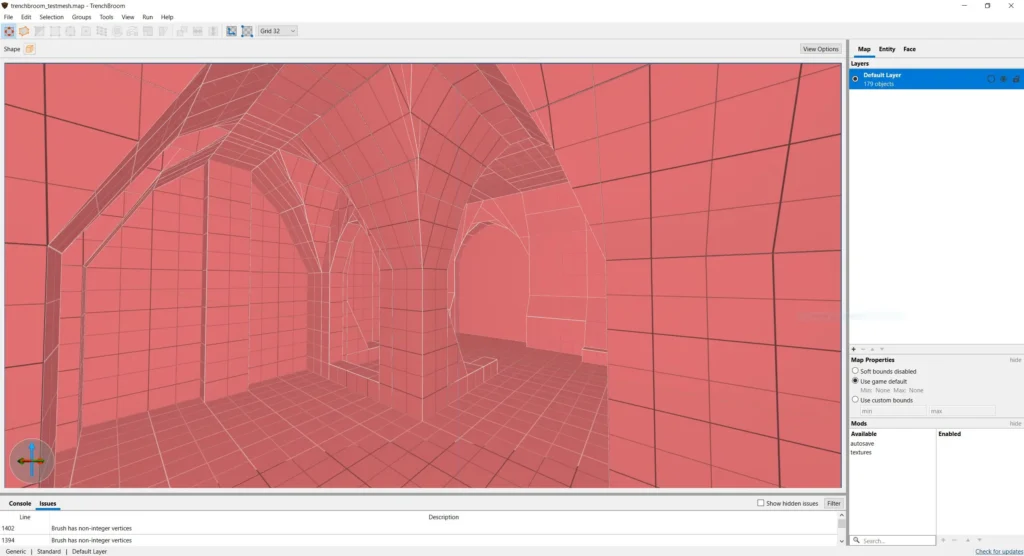
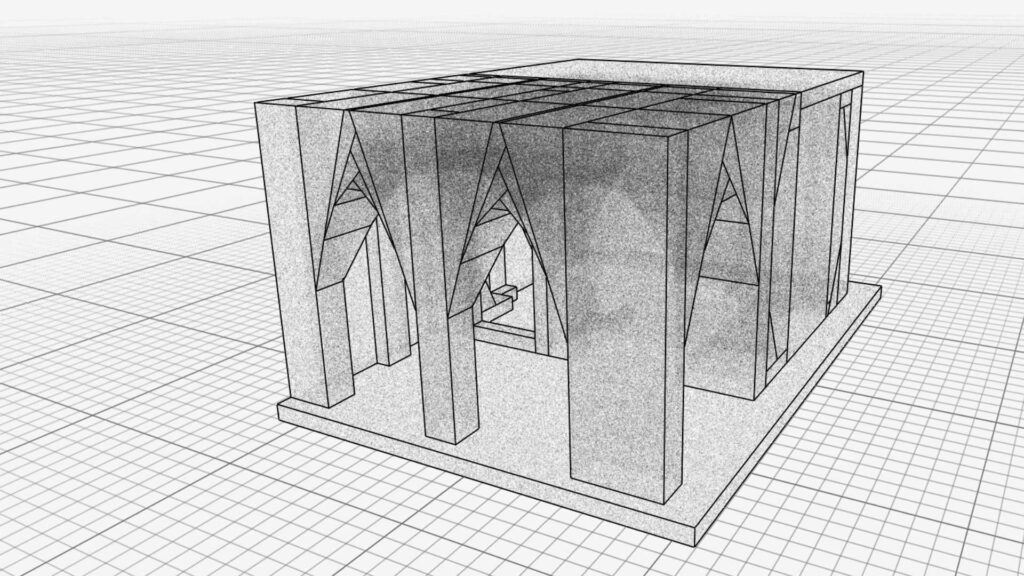
For my first experiments, I used a rudimentary geometry to test the capabilities of the software: a typical environment reminiscent of an old-school first-person dungeon game that I created in Trenchbroom and imported as an OBJ in Blender.
Audio test
To test impulse response I created a quick audio sample of a “dry” organ playing a chord progression. Without any reverb the sample sounds like this:
Note: The raw audio was created using Tomas Eriksson’s great chord player and is licensed under CC-BY-4.0
Using a DAW (in my case: Ardour1) it is now possible to use the simulated impulse response from the plugin as source for processing convolution reverb. With the calculated reverb characteristics of the dungeon geometry, the organ sounds like this:
Download Impulse response
If you are interested in trying this impulse response in a DAW/VST of your choice you can get the file (*.wav, 563kB) here.
Skopéin
Since I am currently also working on a virtual-reality version of the art project Skopéin, I additionally used the actual geometry of the Stadtkirche Karlsruhe to simulate an impulse response.
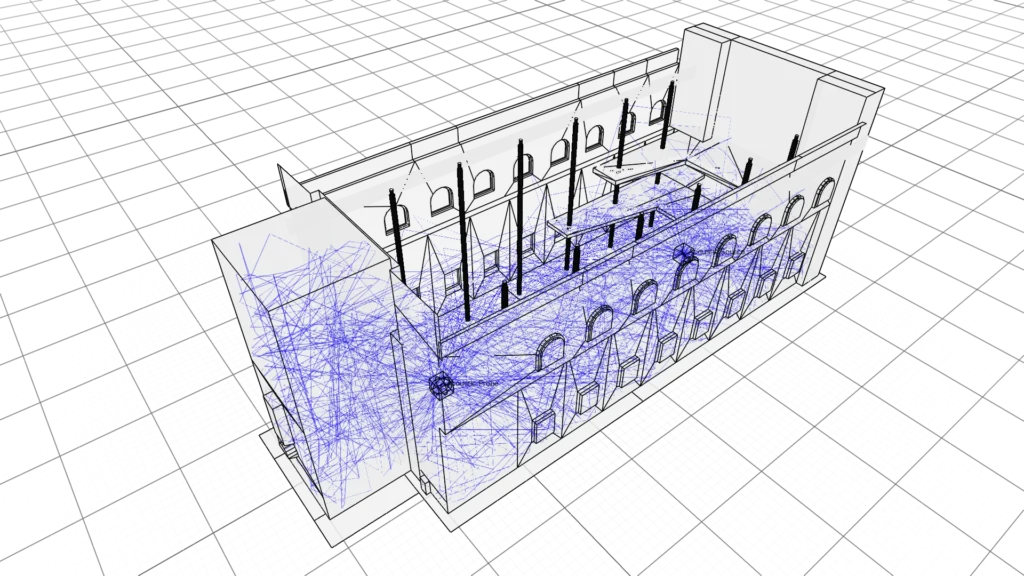
Just to give a brief overview of the simulation: In total 400.000 rays were calculated of which 101.594 contributed to the impulse response. (A ray was deemed unrelevant when it did not hit the acoustic probe after 120 bounces.) The whole calculation took approx. 100 minutes to compute on an old Intel i7 CPU.
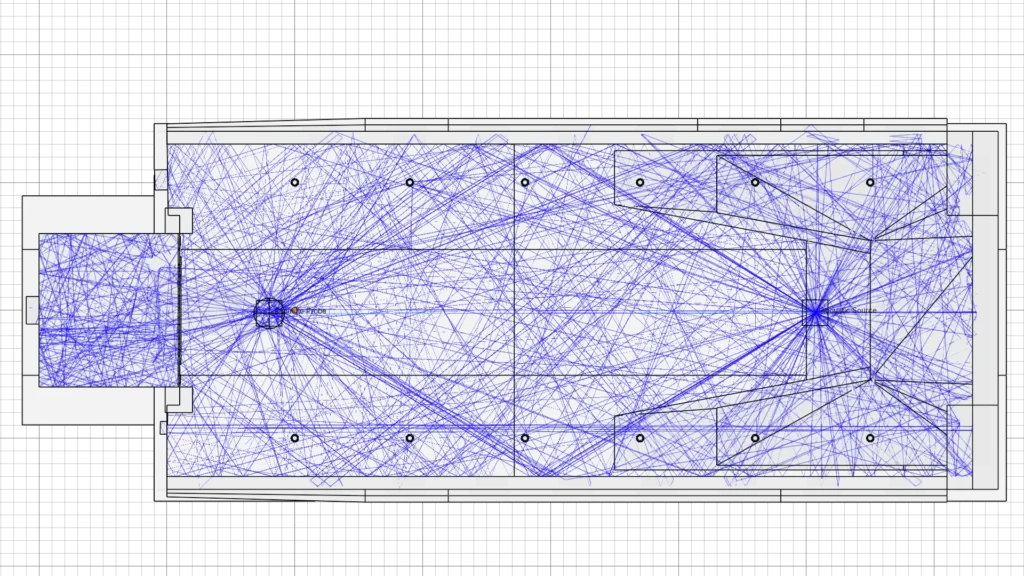
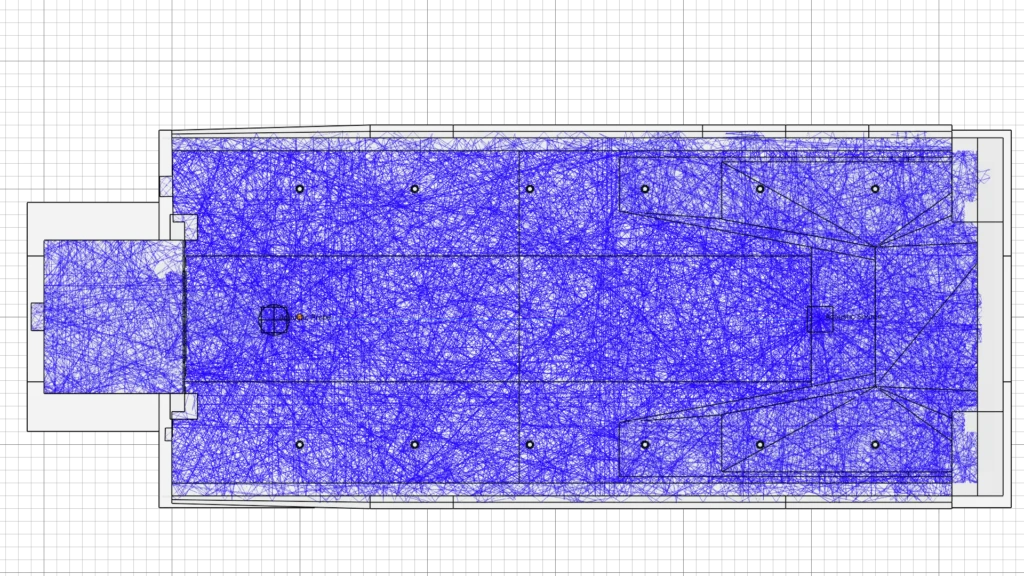
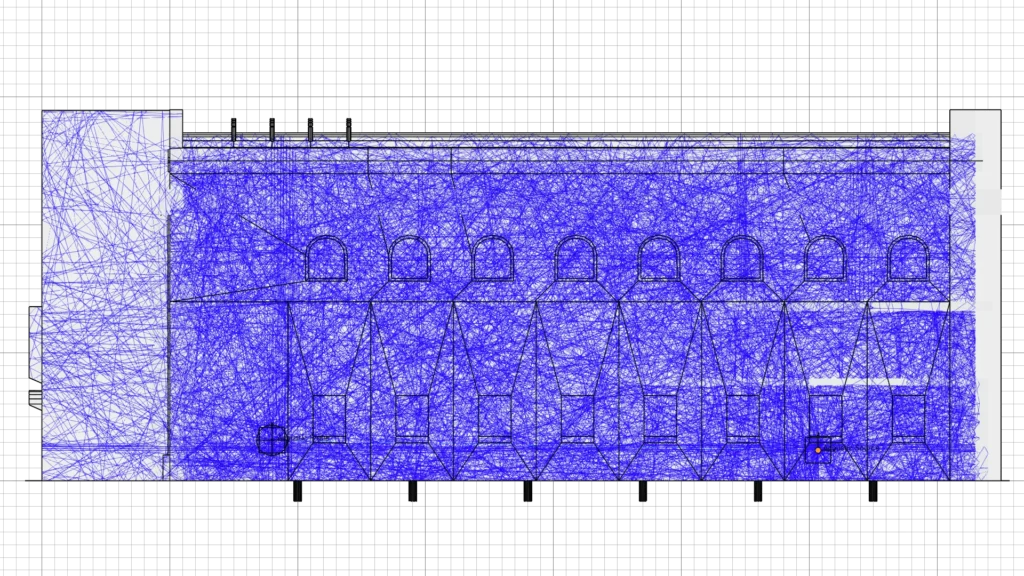
At the moment, the reverberation times (and its intensity) are somewhat exaggerated. This is partly because, for performance reasons, I ran the simulation without the church furnishings—pews, fittings, and other objects—and chose a relatively large distance between the emitter and the probe.
The resulting audio sounds like this:
Download Impulse response
If you are interested in trying this impulse response in a DAW/VST of your choice you can get the file (*.wav, 2MB) here.
There is, however, a clear limitation to this simulation: the sound source (= the emitter) and the listener (= the probe) are statically fixed in one position. The simulation can therefore only reproduce a listening and sound event that takes place at fixed positions within the room geometry.
Since the user in Skopéin remains largely in one location, however, an impulse-response-based approach is actually quite suitable as a simulation method. In the long term, the aim is to capture the atmosphere of the Stadtkirche not only visually but also acoustically, and potentially integrate it into a VR environment.
How Does Quake 1 Actually Sound?
Since the impulse-response simulation ultimately requires “only” 3D geometry, the same calculation can be performed with virtually any geometry.
This means that, for example, we can simulate how sound in the starting level of the computer game Quake 1, released in 1996, might actually behave if the level were a physical architectural space.
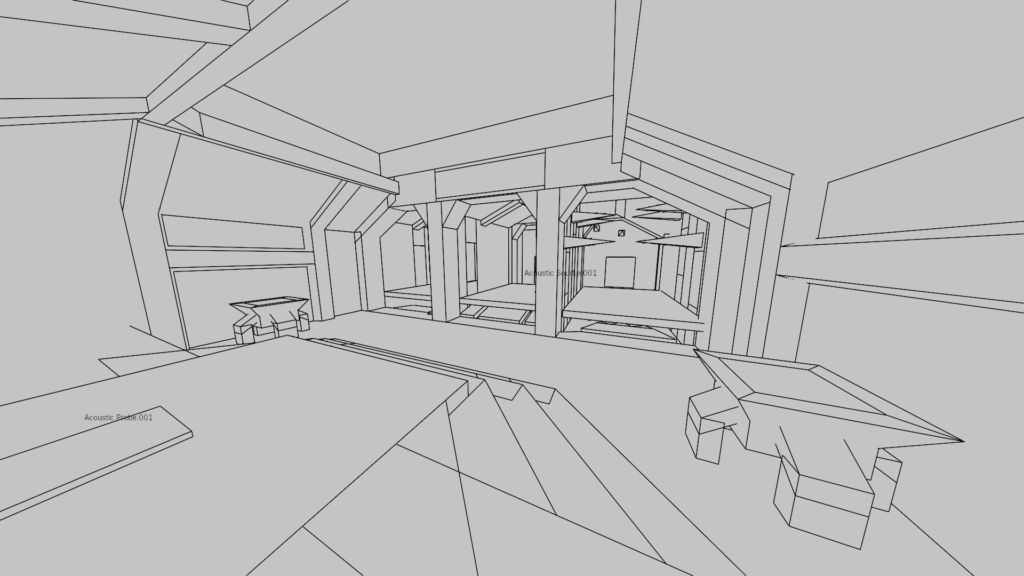
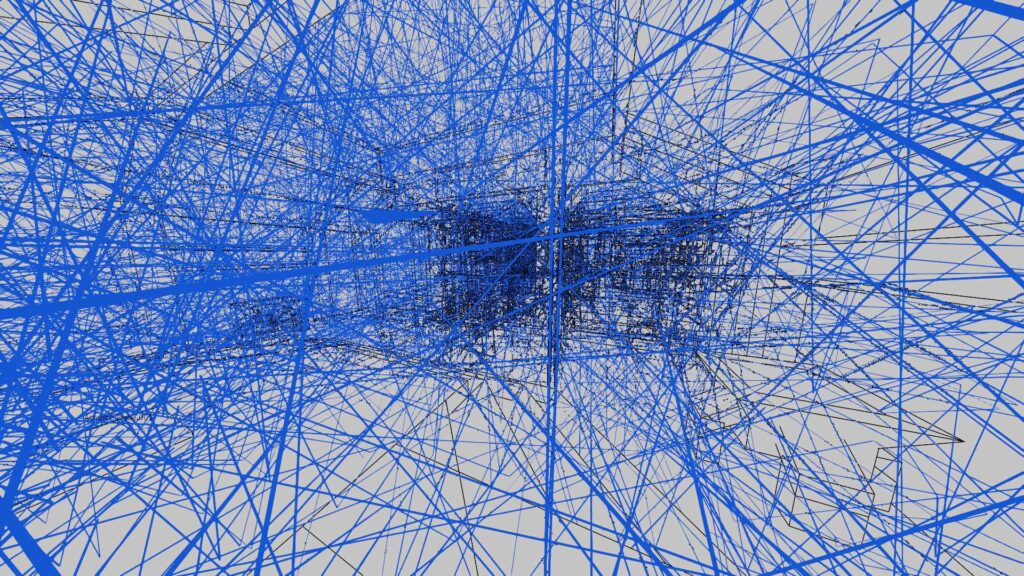
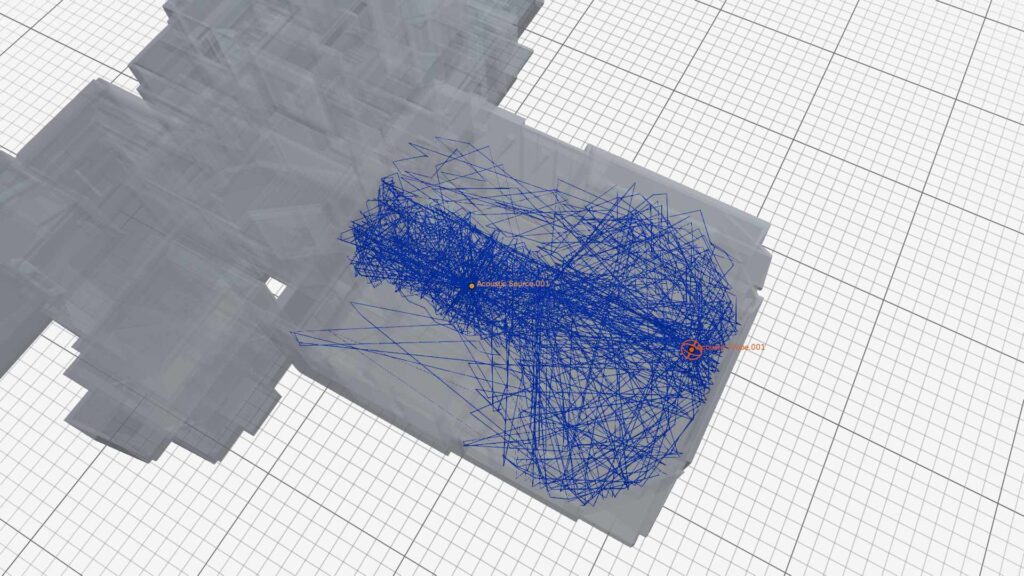
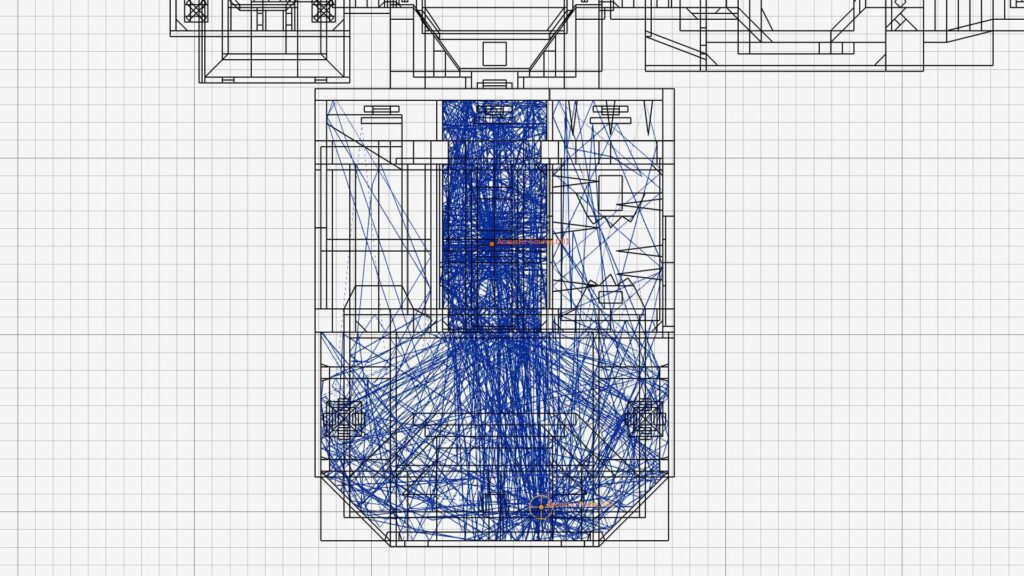
At this point, many thanks to Quake developer John Romero, who published the Quake 1 levels on his website under the GNU General Public License (GPL): https://rome.ro/resources
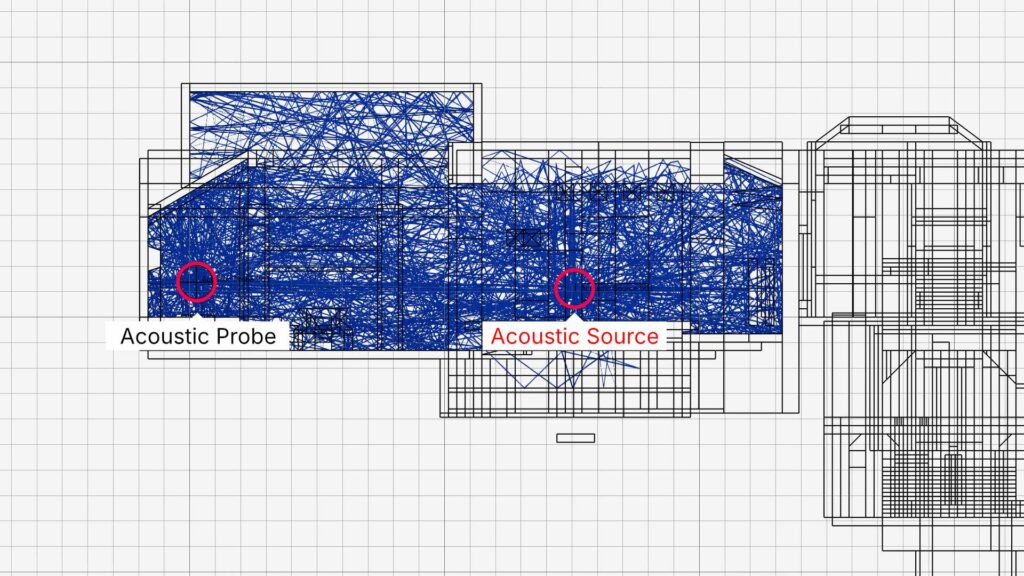
Sound result with 100.000 rays and a max bounce setting of 120.
Download Impulse response
If you are interested in trying this impulse response in a DAW/VST of your choice you can get the file (*.wav, 1.12MB) here.
Prior Art
The idea of using Blender as simulation software for convolution reverb is not entirely new. I remember seeing a thesis that pursued a similar project some time ago. Unfortunately, I no longer remember the author’s name, and the website appears to be offline. I would be grateful for any pointers.
There is also a newer commercial plug-in that can calculate convolution reverb within Blender. I have not tested the plug-in myself, so I cannot comment on its quality or accuracy: https://superhivemarket.com/products/cycleacoustics
Footnotes
- For testing, I recorded several sounds without added reverb and with as little room ambience and diffuse sound as possible. Some of them are intended to assess the technical correctness of the simulation—a sweep, a Dirac impulse, and finger snaps—while others are intended to provide a more aesthetic impression of the simulation, such as an organ and a synthesizer sequence.
To convolve these sounds with the impulse responses of the 3D geometries, I used the DAW Ardour together with the x42 convolution reverb plug-in. Despite the relatively demanding convolution calculations and the absence of dedicated DSP hardware, this runs without any problems on my old Dell XPS notebook running Fedora. ↩︎